
add a keyboard shortcut
Thank you…
Thats a shame.
Do they allow for Chrome Extenssions at all?
I’m adding in that capability to the LukeTool.js today. Hopefully a sollution is not too far away.
L
It depends. Some schools setup their accounts in a way Google only allows services for minors. This effectively blocks many services, including the Chrome Web Store.
1 Like
For those who can’t use developer mode.
Try using these html wrappers.
Launch Your favourite editor from the desktop
Wick
wick-editor-launcher.zip (1.3 KB)
Stickmanred
stickmanred-wick-editor-launcher.zip (1.3 KB)
Candelstick
candlestick-launcher.zip (1.3 KB)
It should fix new project load issues as well
L:D
1 Like
add a keyboard shortcut to open luketools please
Did you try the wrappers?
bru i didn’t
Try them see what happens
I didn’t. Can you add the keyboard shortcut?
What you need to understand is my tools don’t live inside of the editor. It lives in another place and when you use my tools you are inviting them to that space. As soon as you go to a new project you move to an new place. My tools then need to be invited. The wrappers invite the editor to the space that LukeTool owns. So that means when you create a new project it happens in the space Luke Tools controls. You didn’t say if you had tried the wrapper approach.
:LD
1 Like
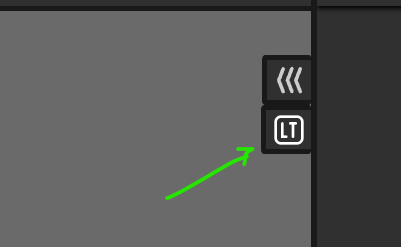
I mean the keyboard shortcut to open the dialog!
You mean this.
1 Like
Oh. I want it. (If LukeTools is inactive, can someone else do it?_)
Uhh, okay?
wake up luke can you please do it now or whatr are you on
If you tell me why its important I can. But you must also know that I have a day job. I only work on LukeTools in my spare time.
Also what letter do you need it to be.
ctrl+shift+l
Are you using the chrome extension? The code needs to be added to many places - So I need to know what one is opening the LT for you.