Complete the following questions so forum users and Wick Editor developers can give you the best help possible! If the following questions are not completed, your post may be edited or removed.
Has this bug been reported already?
Check on the forum’s search feature. If it has, please comment there with new details!
unsure
Describe the bug
A clear and concise description of what the bug is.
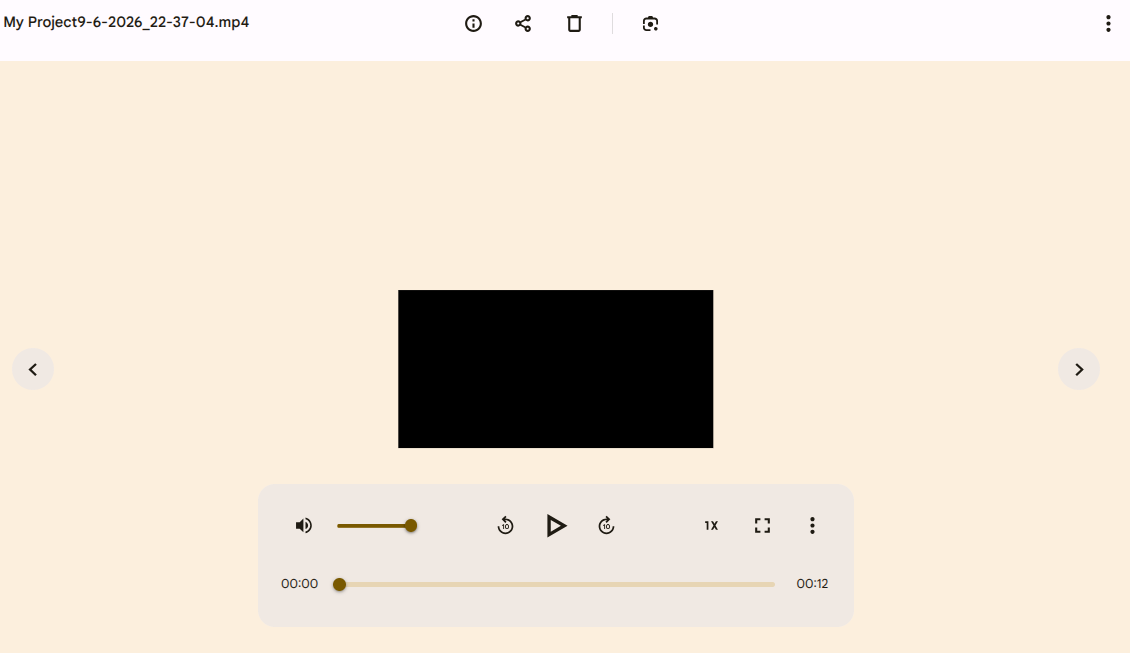
When downloading an animation and looking at the mp3 file it is just a black screen but still has audio.
To Reproduce
Steps to reproduce the bug, if you have them:
1.Download animation as video
2. See error
Expected behavior
A clear and concise description of what you expected to happen.
I expect to see the animation
Screenshots
If applicable, add screenshots to help explain your problem.
*Computer Information
- OS: [ Android]
- Device Type: Desktop,
- Browser [Chrome]
Do you have a suggested solution to this issue? (ex. has another program fixed this bug a certain way? Are you familiar with where in the code base someone would need to fix this issue?)
uh record the animation I guess.
Additional context Optional*
Add any other context about the problem here.
I originally animated this on candlestick but also put it on the regular wick and both times the animation didn’t show