
Brush tool issues

Candlestick 1.3.0

Brush tool not working.
I’ve reloaded the page and tried all the brush modifiers to see if that changes anything but nothing’s working.

I can draw using the brush tool, but second i let go of it, the line or shape I’ve brush-tooled just vanishes and stops existing. It’s not like it’s invisible, because I cannot select it either. This is the first time I’ve been Candlesticking for a month or two, so I think it could be a issue with 1.3.0 as I’ve never had this problem before.
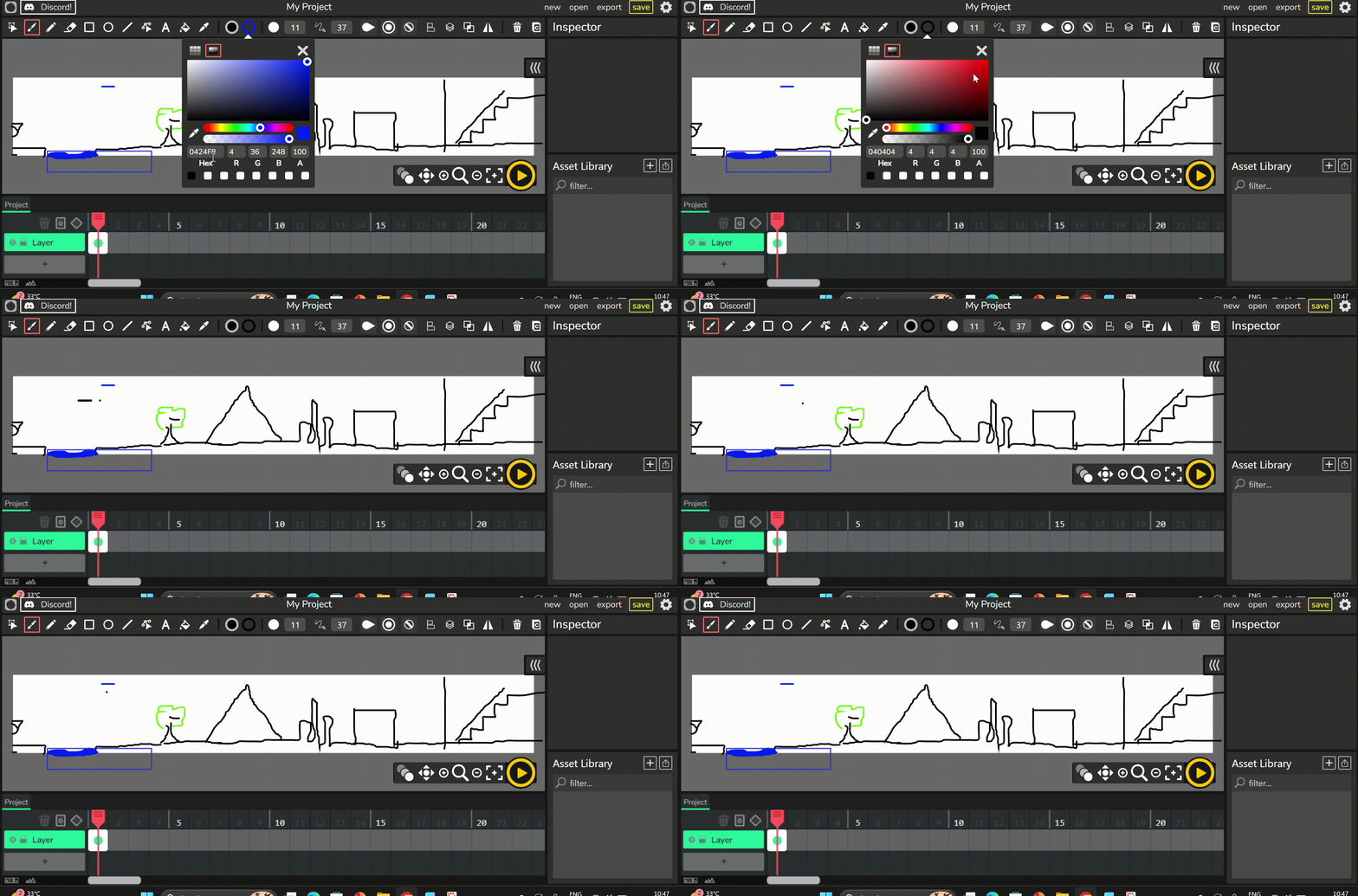
It’s started working sporadically but mostly fails again and again

main.7fbb4e45.js:2 Brush error

a. @ main.7fbb4e45.js:2
handleBrushError @ wickengine.js:58740
onMouseDown @ wickengine.js:58661
paperTool.onMouseDown @ wickengine.js:58273
emit @ wickengine.js:707
emit @ wickengine.js:13989
_handleMouseEvent @ wickengine.js:13996
_handleMouseEvent @ wickengine.js:13439
viewEvents. @ wickengine.js:13229

main.7fbb4e45.js:2 still drawing

a. @ main.7fbb4e45.js:2
handleBrushError @ wickengine.js:58741
onMouseDown @ wickengine.js:58661
paperTool.onMouseDown @ wickengine.js:58273
emit @ wickengine.js:707
emit @ wickengine.js:13989
_handleMouseEvent @ wickengine.js:13996
_handleMouseEvent @ wickengine.js:13439
viewEvents. @ wickengine.js:13229

That’s from console. Brush tool works on https://hobbsythe6th.github.io/Candlestick/ but not on regular Candlestick 1.3.0

you seem to be using inside mode. since you’re drawing over blank space, the brush will not draw.