Candle Stick App: Copy And Paste Bug

This bug on the Candle Stick App, basiclly when you try to copy and paste a new object, it pastes an old object.
Ex:

I copy and paste Object A, done, its on the canvas. Now I want to Copy and paste Object B. I copy, but then it pastes Object A.
I don’t know how I might have “triggered” the bug, I was just minding my own buisness working on a game.

I have an unlisted video that was what I just described:
A clearer view of the console:

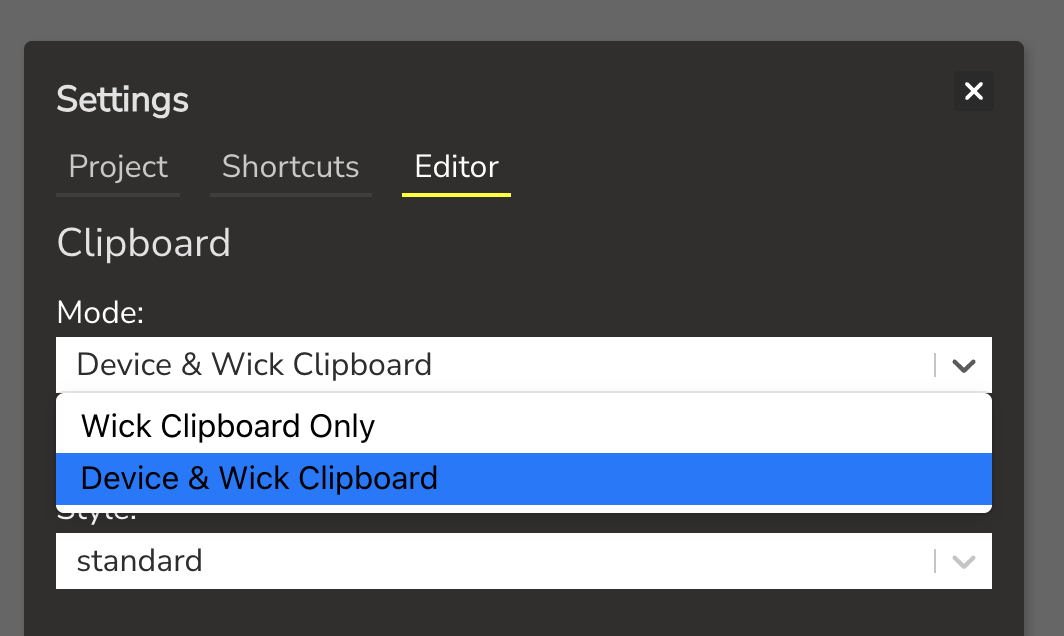
go into the settings --> editor tab, and see if there is a dropdown for clipboard mode.

if it’s on “device & wick clipboard” mode, try changing it to “wick clipboard only”. i don’t think this is the issue but just give it a check.

but from my quick internet search it seems like the problem is the editor is trying to save too much data into the clipboard. i can replicate the console error by copy-pasting enough gigantic images to the point that there’s too much data.

however looking at your own project i don’t think that makes a lot of sense, because that object you’re copying doesn’t look that big…

can you draw a basic rectangle and try copy-pasting that? from my testing it should do that properly. if that doesn’t work there might be a different problem.