
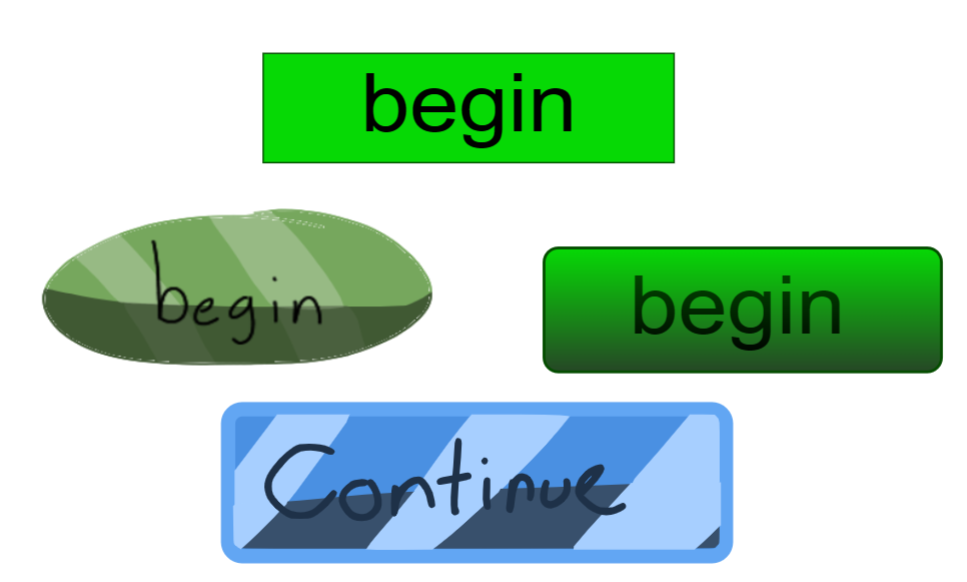
Have you ever been using the Rectangle tool to make your buttons? Does it ever feel plain, boring, or even basic? Today, I will show you multiple methods in order to make your buttons feel more colorful!
Method 1: Image Buttons
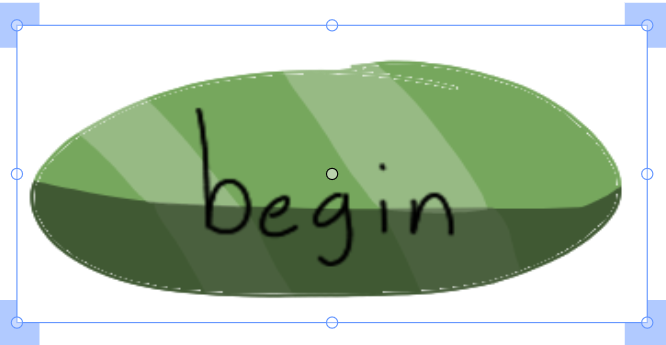
Image Buttons are buttons that are drawned into a different drawing platform/software or website that is imported into wick editor. These buttons are fully customized to your vision!
Some websites/software i recommend using to make these types of buttons:
https://kleki.com
Krita (https://krita.org/en/) (software)
MS Paint (Software)
https://jspaint.app
and etc!
Image buttons are perfect for your projects and how you shape it!
Pros:
- Full Customization
- Full Creatively
- Free to use!
- Can remove more lag instead of using wick blocks.
Cons:
- Image hitbox can be too big as the square box is surrounding it.
- Some Image buttons are NOT transparent from their website/software
- Some Image button are needed to be sized down.
Overall, It’s alright to use.
Method 2: Gradient Buttons

Gradient Buttons are buttons that are perfect to use when customizing their color and how far it can do.
These buttons can change how plain it was to more lively.
You can change the roundness of the button to make it more softer than rougher it gets.

Mini Tutorial on how to round the Box
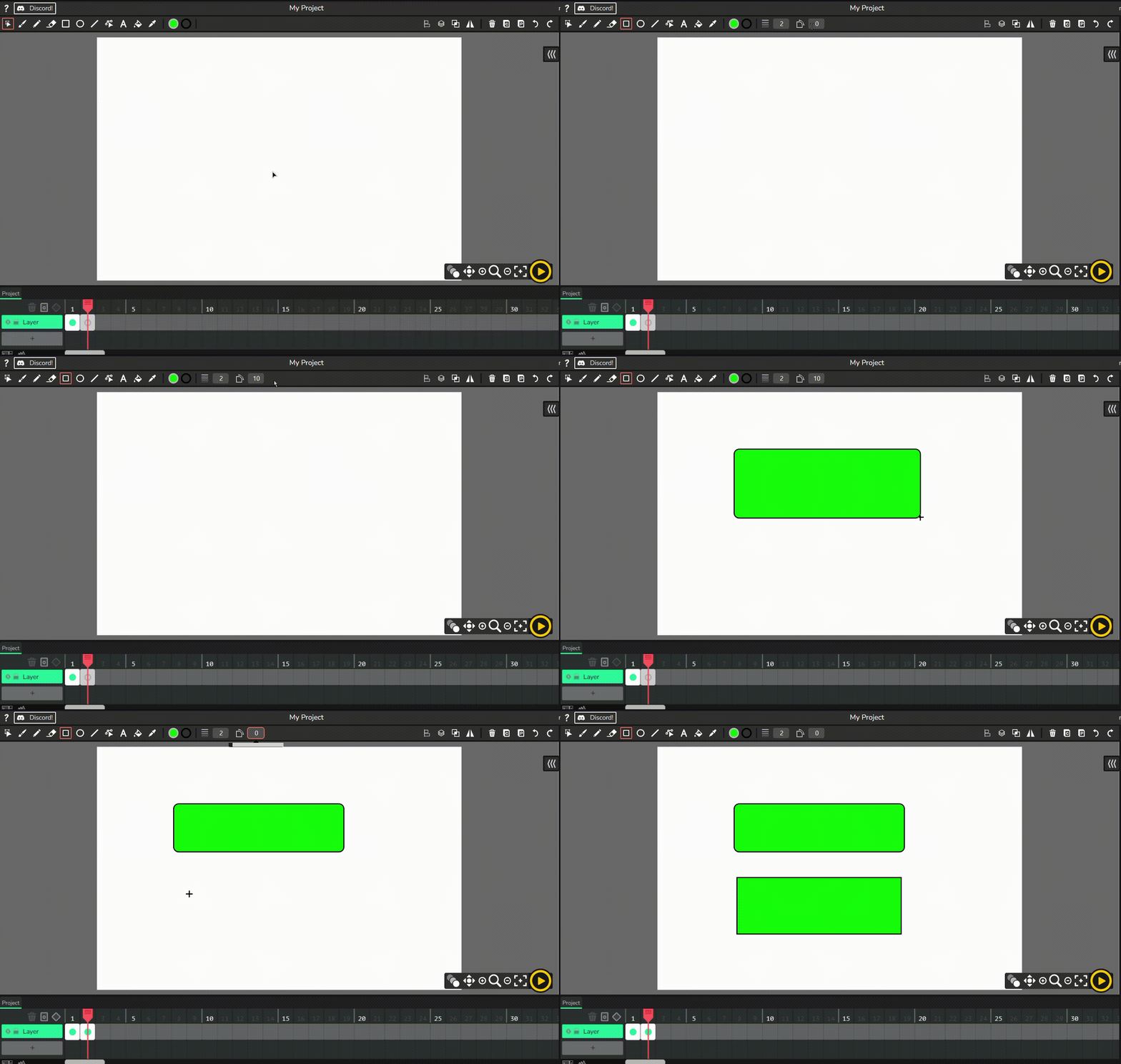
If you cant see the GIF below here are the steps:
Step 1: Click on your Rectangle Tool or Press R
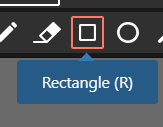
Step 2: Move your cursor right next to the Thickness Tool to the Round Tool
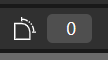
Step 3: Change the Number from 0 to any number, I recommend 10 although.

Step 4: Hold down on your cursor and move to create the box.
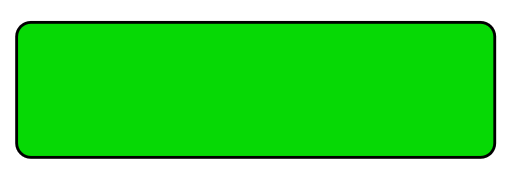
Those are the steps!
Pros:
- Customization
- Creatively
- Free to use!
- More Colorful
- Makes the button look less plain
Cons:
- Gradient could be buggy (sometimes)
- Gradient is only on the Candlestick version.
- It’s really buggy-er in Candlestick version 1.01 (if you have that on the app or the website somehow)
Overall, It’s amazing to use.
Method 3: Drawn Wick Buttons
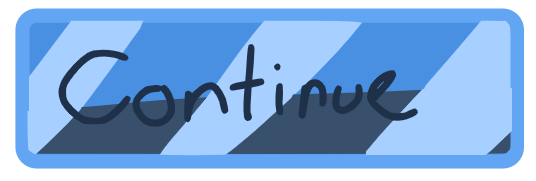
Now, Drawn Wick Buttons are sometimes good or bad whether or not your drawing skills. It depends on the looks. I used this method to make more buttons more colorful in some games like Vorp Quest or RISEN. This image i used depends if it needs shine or more textured.
Mini Tutorial on how to make a Drawn Wick Button
If you are wondering…
How do I make this?
Well you are in luck!
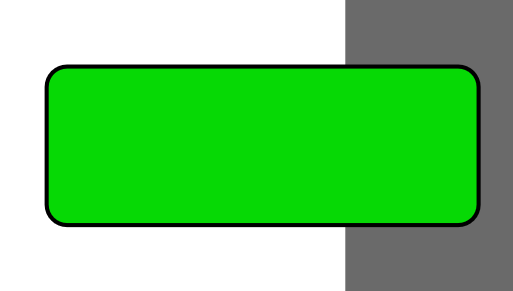
Step 1: make the box
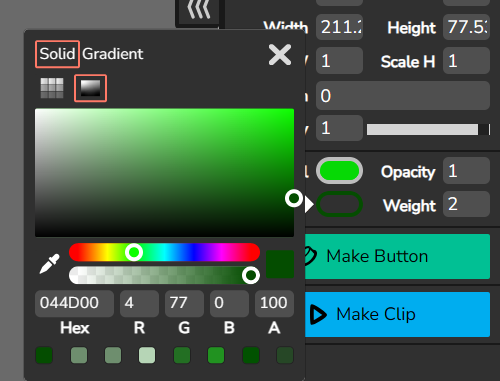
Step 2: Select the Box and change the stroke color to your coloring choosing.
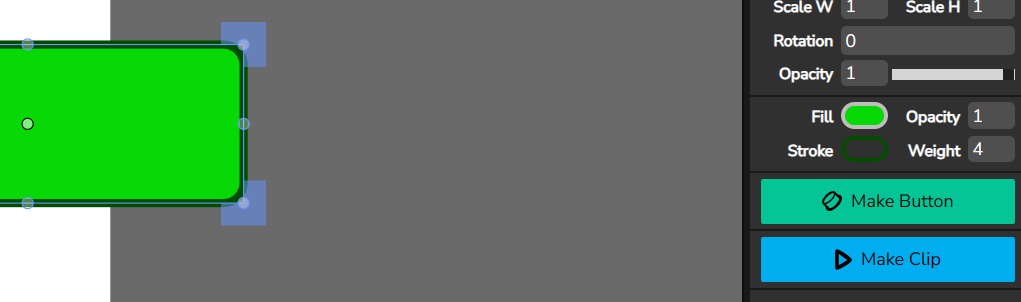
(Optional Step): Change the Weight of the stroke to make it thicker.
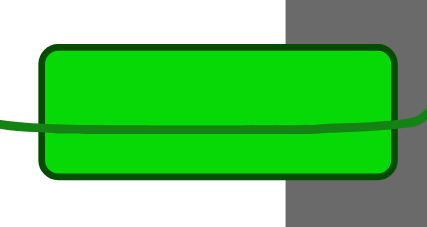
Step 3: Unselect the box and go to your color tool and make the color darker, then make a line over the button.
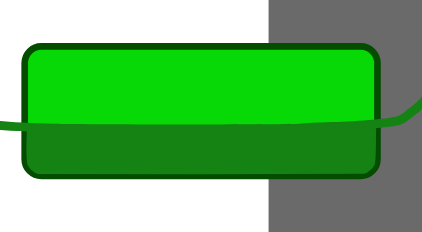
Step 4: Fill in the box around the line
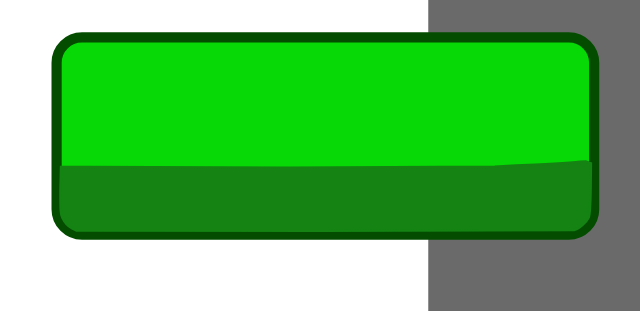
Step 5: Delete the line.
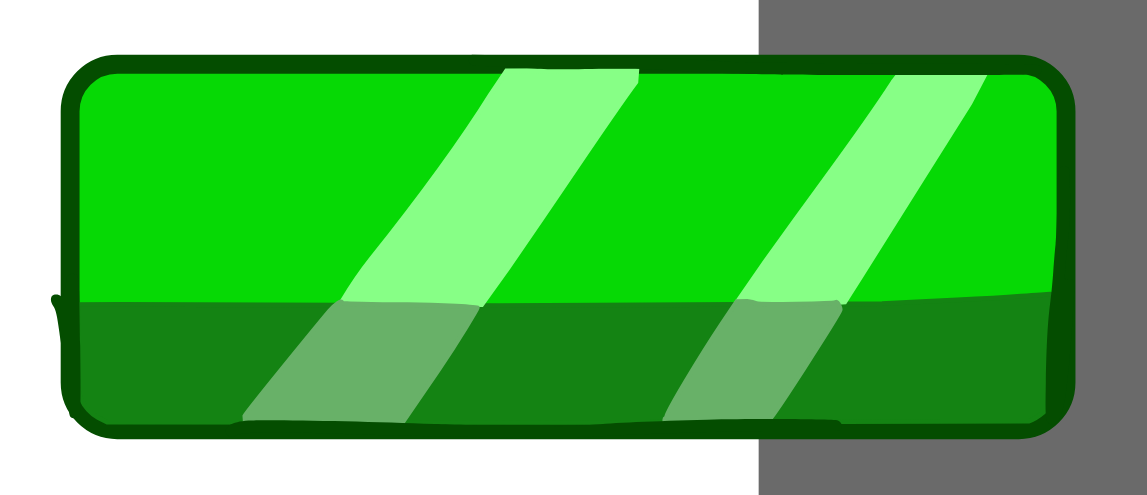
Step 6: Repeat Step 3-5 again but change it to a lighter color to make it shiny.
(Optional Step): You can change the opacity of the lighter color to make it more lighter.
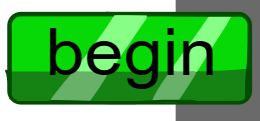
Step 7: Add your text or your handwriting on your done!
(you can change the font btw)
Pros:
- Customization
- Creatively
- Free to use!
- Colorful
- Can Make the texture more well
Cons:
- The Fill Tool can mess up the stroke color in the button and can ruin it.
- The Custom Shading can be too filled sometimes with the Fill Tool.
- Sometimes the font you use can be big and you have to resize which waste your time
- Too much of this button can lag Wick Editor/Candlestick
- Too much detail can also lag
Overall, It’s optional to use.
Method 4: Non-Buttons

Non Buttons are optional for special customization incase of a game. These buttons are usually just text or any customization.
Pros:
- Minimal Customization
- Free to use!
Cons:
- The hitbox of the button can be terrible for texts.
- Very Plain if just text.
Overall boring…
Other Things to Note
I feel like buttons that are selected need to have like a hovering feeling.
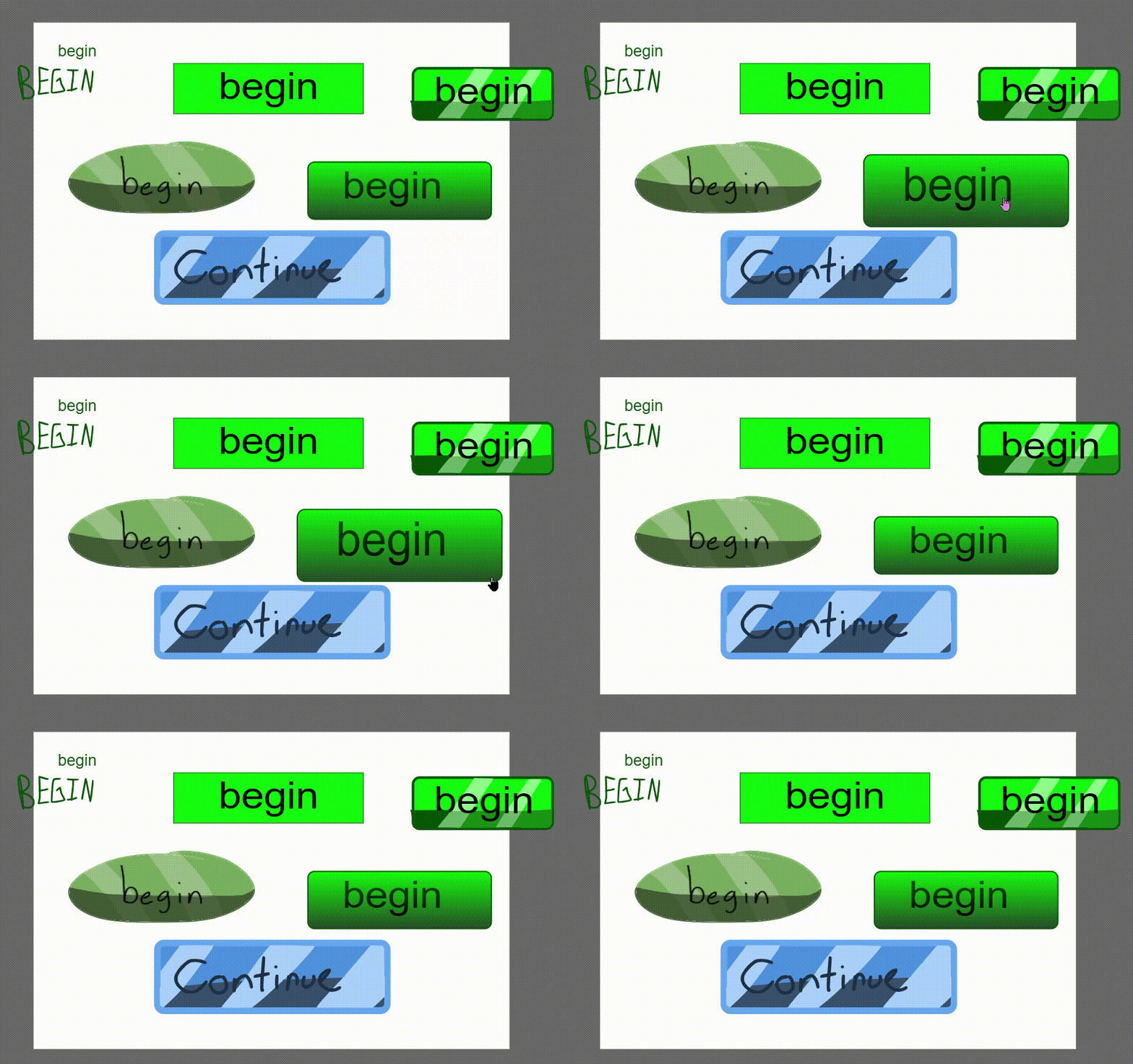
This is what i meant of hovering since i seen some buttons without that hovering action.
These are my methods. What do you think? Please let me know any feedback on this tutorial and you can start making your colorful buttons!
Download:
Button Template.wick (75.9 KB)