
Candlestick 1.0.1
Has this bug been reported already?
I don’t think so…
Describe the bug
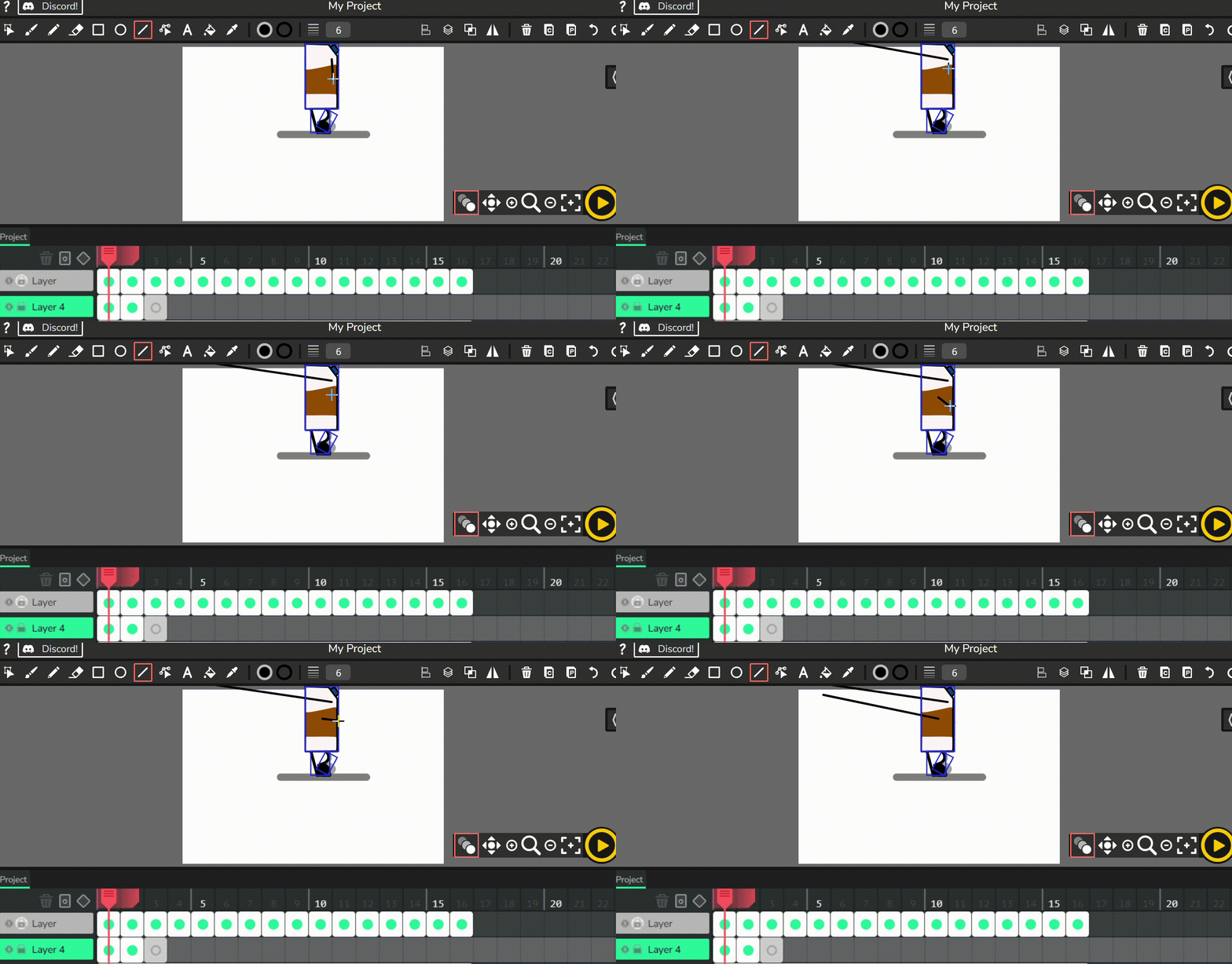
Auto line snapping and just watch the screenshot video
To Reproduce
Steps to reproduce the bug, if you have them:
I don’t really know. For me, when I was using line tool, it auto-messed up and just watch the screenshot. Look at my cursor and where the line’s going.
Expected behavior
Line tool to work normally
Screenshots
*Computer Information
- OS: Windows 11
- Device Type: Laptop
- Browser Chrome
Idk what to do to fix this. I can’t code to save my life.
In the gif, i was trying to draw a side face. First line= stick-eye, second- mouth
You can see what happened.