Need help with code real quick

What Wick Editor Version are you using?
Candlestick V.1.0.2

Describe the Problem
I need help doing a platformer game part where these buttons image change the players frame.image The problem is that i want the buttons to change it from the project -> clip -> the actual clip of the frame change. As the clip before the project is right left up down movements. image Basically I want a code that tells the project that they need to change the frame within a clip to a clip. image
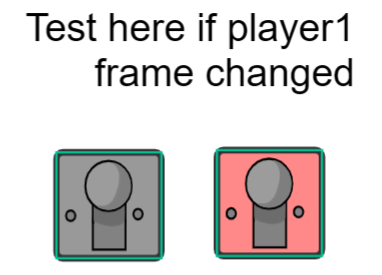
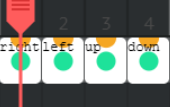

**Note: The buttons will be before the level so like customization BEFORE the level.

What have you tried so far?
tried to use code from eariler projects i made.

Do you have a Wick Editor File that we can see? Optional*
help! (1).wick (674.9 KB)

the name of the clip for right now is in the frames for example right frame is “testr” and the left frame is “testl” and so on.

in general, if you want to access a subclip, you do something like this: clip.subclip.subsubclip...

you can keep chaining dots to go through subclips, but you have to make sure that the clips are named.

from what i can see in the image, as long as you rename that clip to something, you can do player1.clip.gotoAndStop(...);.

2 Likes

yeah that will help me but i was wondering like all of the subclips in one code.
image image image image
player1.clip.gotoAndStop(...); this actually works only IF the frame is shown.
if you are wondering like the code that is expected, it would be like frame 2 so.
player1.testr.gotoAndStop(2); so more like this. Just wondering if its possible to do all of the subclips change frames even if the frame is NOT shown. (by using the update script or something close to that.)

if it doesn’t affect the rest of the project, you can consider naming all those clips to the same name. then, no matter what frame you are on, you can still use gotoAndStop on it.

the one issue is that when you gotoAndStop on, say, the right sprite, none of the other 3 will have switched to the correct frame. so in this case, the right sprite will be the only one that has switched.

there are a few ways to fix this, but one that comes to mind for me is to not do the subclip and instead have 8 frames in one clip.

(there are a lot more ways to achieve the same thing, but this is one that i think works reasonably well)

character with 2 variants.wick (5.6 KB)