
Complete the following questions so forum users and Wick Editor developers can give you the best help possible! If the following questions are not completed, your post may be edited or removed.
Has this bug been reported already?
I checked but not deeply and I think no one has talked about this bug yet
Describe the bug
When you export SVG and look at it, the SVG files have the blue border that surrounds clips still stays.
The background also still stays which is kinda annoying.
To Reproduce
Steps to reproduce the bug, if you have them:
- Draw anything that has clips in it
2.click the export button
3.go to the images tab
4.click SVG option
5.look at the SVG
Expected behavior
To export without the blue borders and background
Screenshots
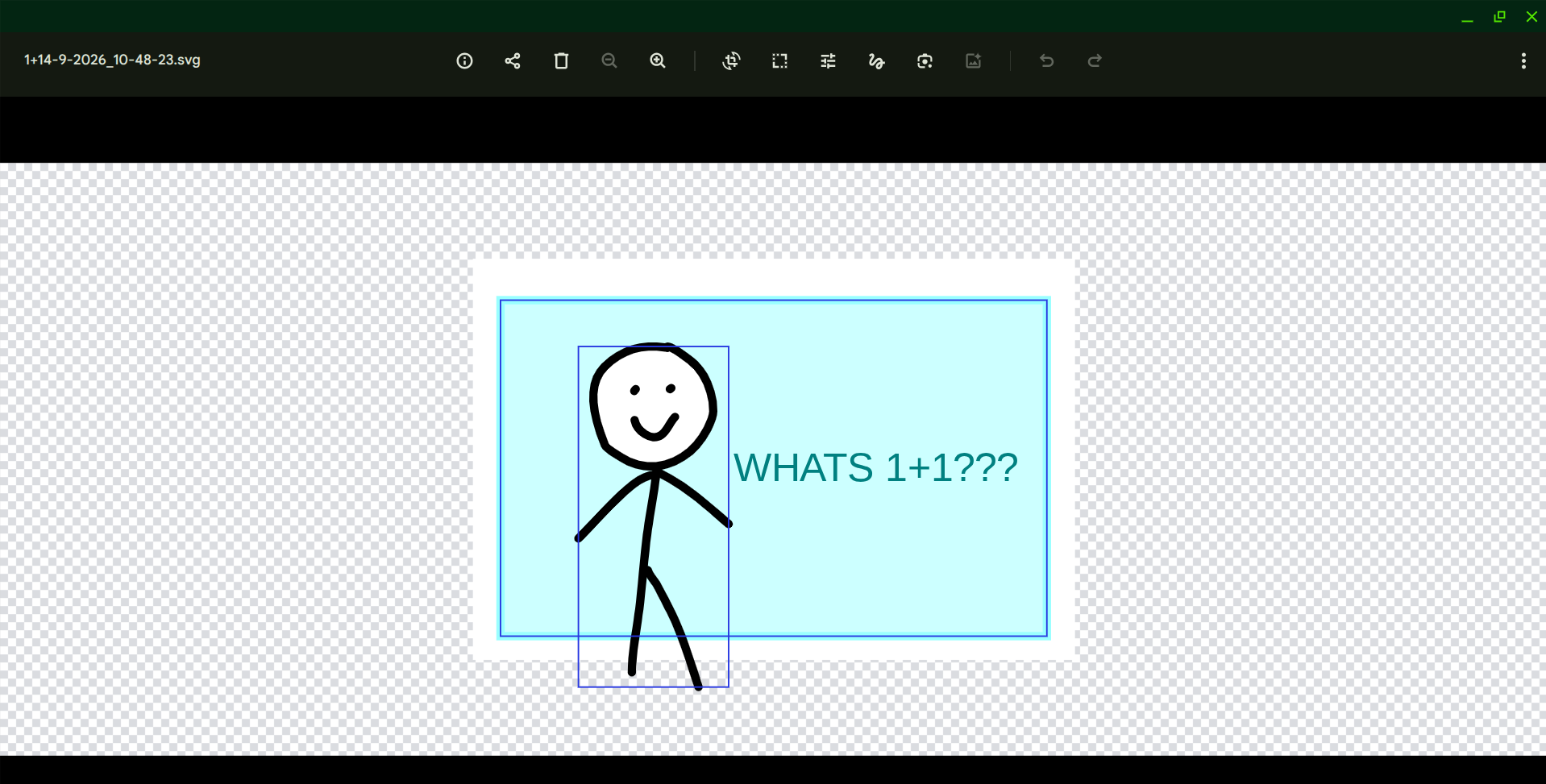
*Computer Information
Chromebook
Do you have a suggested solution to this issue? (ex. has another program fixed this bug a certain way? Are you familiar with where in the code base someone would need to fix this issue?)
when it’s in the export menu all the blue clip borders would be hidden
Additional context Optional*
My tools randomly broke shortly after I tried to export it but refreshing the page fixed it