This is the latest LukeTools V4

The latest drag onto desktop version of Luke Tools is here. https://drive.google.com/file/d/18291WNCpIiKEn4E1hOJNweXjLoe4GcAK/view?usp=drive_link

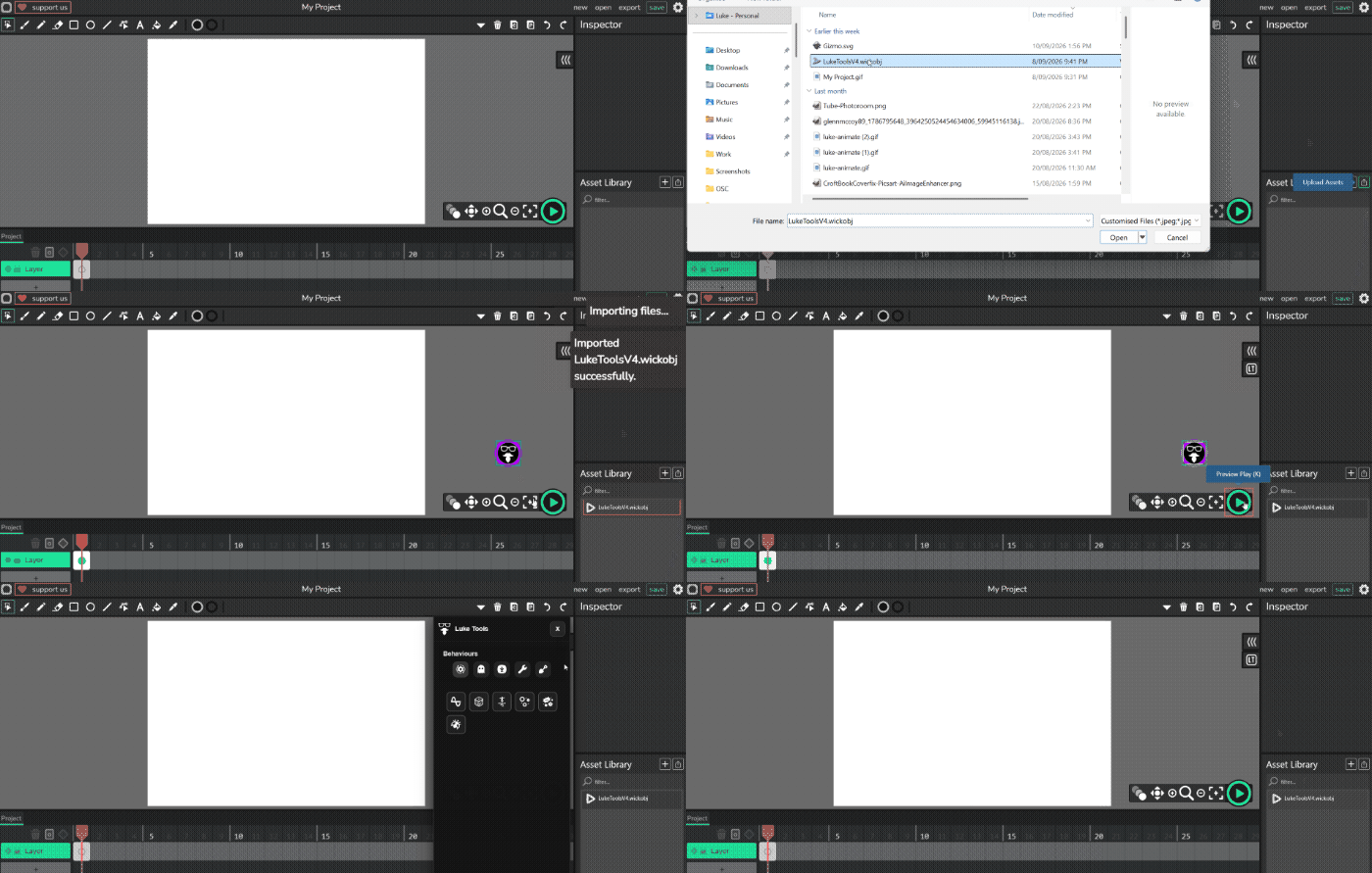
  1. Download the file.
  2. Open any version of Wick for desktop / browser.
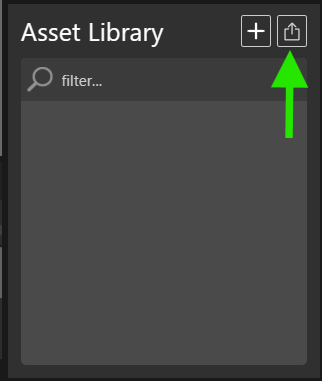
  3. Upload to the Asset Library
    image
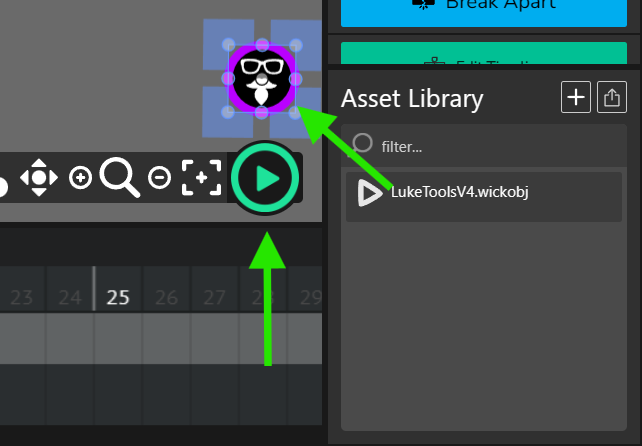
  4. Drag onto the stage and hit play then pause.
    image
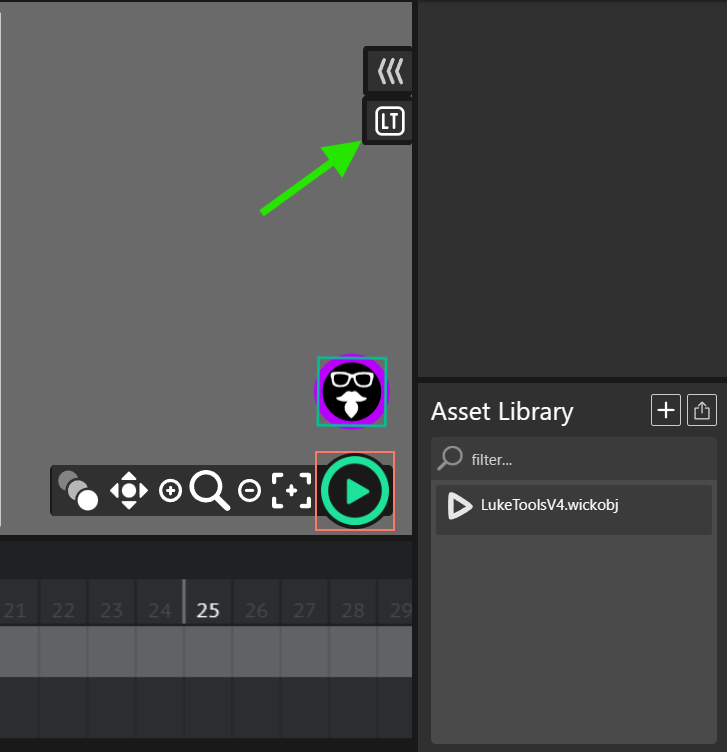
  5. The LukeTools Tab will show on screen.

  1. You can delete the LukeTools icon after that.
  2. Some people save the setup as their startup file.

L

1 Like

Example on how its done!

Can’t download the file. Google gatekeepers seem to have blocked me…

Bru it says Bad JSON. And the google drive asks for consent
add element snapper
also fix it disappearing on doing other project

That can only happen if the developers add LT in there Forks.
Bad Json can be fixed with Ctrl Shift R and reloading the LT Wickobject. I cant control how bad your internet is!

L

Bruh, an you please fix it? Ans also add the Element Snap feature.!

Element Snap feature? - If I knew what you were asking - sure I could look into it.
L

Oh. I also mentioned the LukeTools button disappearing when you switch projects.

@lukeo25 the google drive says I need acess

Not sure why the link borks out like that. Use this zip instead. https://forum.wickeditor.com/uploads/short-url/jIz2zygPQTjEODemi34JAkgFAGj.zip

Works fine now – thanks!

Uhh, I also mentioned the LukeTools button disappearing when you switch projects.

Sorry mate thats a Wick issue. LukeTools has to be loaded each time. I sugest you create a Wick file with it loaded and us that as your start file for each project.

L

But I saidw can you fix it? You would use part of the LukeTOols V3 code to fix it.

LukeTools code only works as an external plugin - usable only once on a project. It needs to be loaded and run everytime. A fork using my js file would fix this. But as the other fork developers don’t want to do that, which is their right. It needs to run once each load. You could build your own fork by downlaoding the Git repository for Wick ( https://github.com/wicklets/wick-editor ) or Candlestick ( https://github.com/Candlestickers/Candlestick ) and follow my instructions to have your own version with LukeTools loading on startup. https://forum.wickeditor.com/uploads/short-url/vM8ldWzbAoc7i64W6a8LXlK1ihv.zip

If you do be sure to share it with others.

L

nothing against luke tools I think they’re pretty great and useful for whoever loves em

But as Baron put it, Luketools is a bit too big of a hurdle and outside the scope of the plans we have laid out and our future vision of Candlestick

And to add another note— Luke tools aren’t integrated into the engine but rather laid over it. Which makes them easier to add in, yep, but will exist on a separate layer and format than our current engine, and respectfully it’s not something we’re considering on adding in right now as we want to aim towards something that’s more engine-integrated, beginner friendly, and follows similar blueprint to our current structure and plans for the tool.

@lukeo25 my tip to you, you should turn luketools into a chrome extension. It’d work with all the wick forks (wick, candlestick, stickmanred’s, etc.) and it’s a better option than needing to maintain an entire new fork.

Actually in our early stages developing Candlestick this was an area I looked into and can help you there if you have any questions on the setup and where to begin
(that said I cannot help with maintaining the tool or answering forum questions on it :sweat_smile: )
Fortunately your code is already written as an add on, in the perfect format for an extension than an engine integration.

So it wouldn’t take much effort to turn it into an extension. I recommend looking into it.

1 Like

What a great idea!
I LOVE IT!

L

1 Like

Luke Tools is now a downloadable Chrome extension.
Check this thread Add LukeTools permanently using this Chrome extension

Can you add a keyboard shortcut to open the Luketools thingy?

He did, If I remember it’s Shift + L, or it’s Shift + Ctrl + L.