
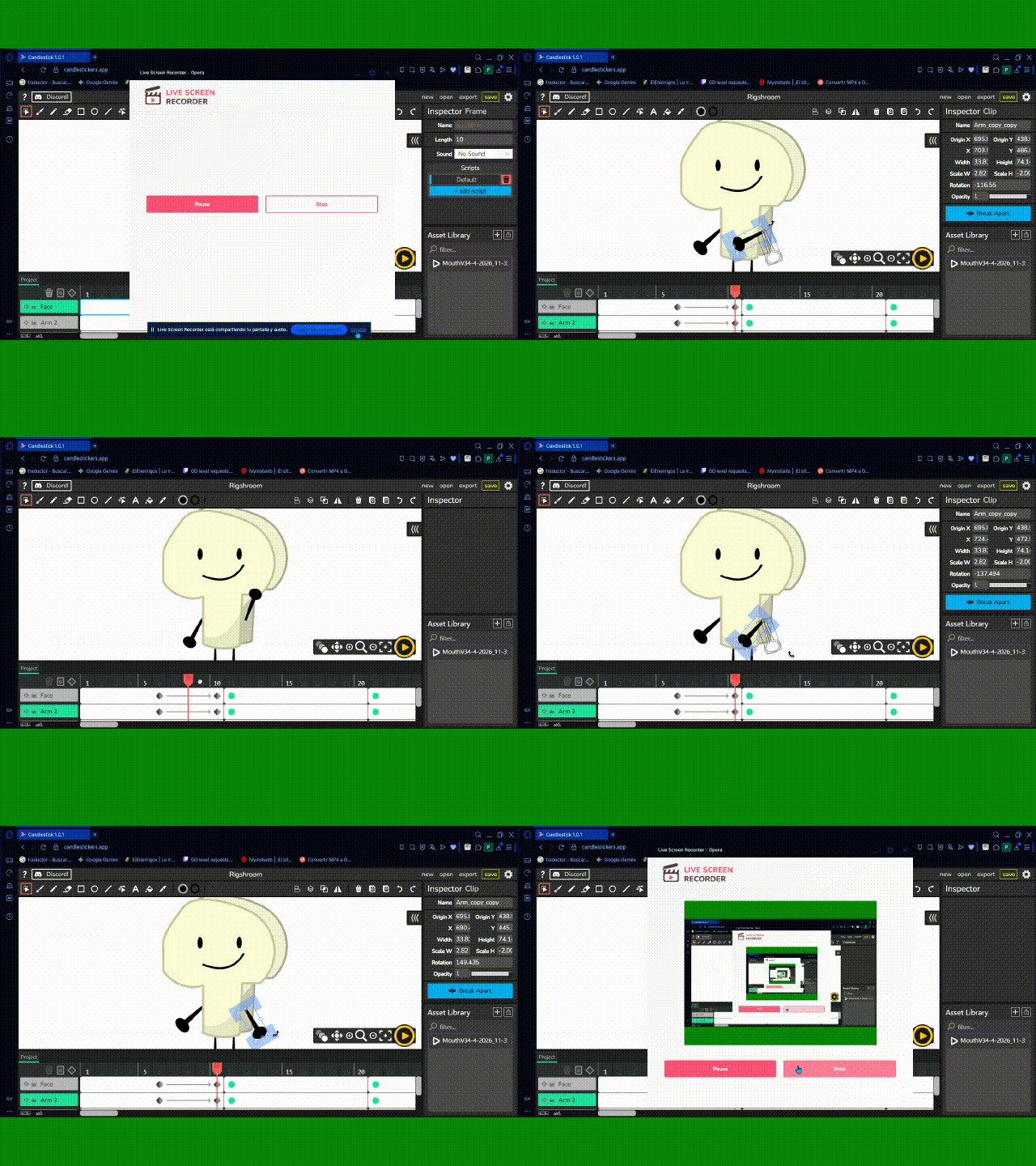
Every time i spin the arm to the left with a tween, it just spins in circles, how can i fix this???
send the .wick file
click on the first tween diamond of the thing that is spinning the wrong way, there should be something called “full rotations” in the inspector. usually it’s supposed to be zero but you may have set it to 1 or something. or, if it’s already 0, try setting it to 1 or -1.
1 Like
gee, thanks! it worked, it was in 0, by the way.
by the way, i think i kind of know the reason why it did the full loop originally.
rotation values in the inspector are restricted between -180 and 180, since every 360 degrees it looks visually the same. in most cases this works just fine, but if you tween between 2 values that are near -180 and 180, even though they look like they are next to each other, it has to take the long route from about -180 to 180, which is that full loop you are seeing.
while the full rotations option is there to fix it, i kinda dislike it because it’s so hidden and can be confusing. we could potentially solve this in a better way by not restricting the rotation value, at least for tweened clips specifically.
1 Like