
Has this bug been reported already?
No.
Describe the bug
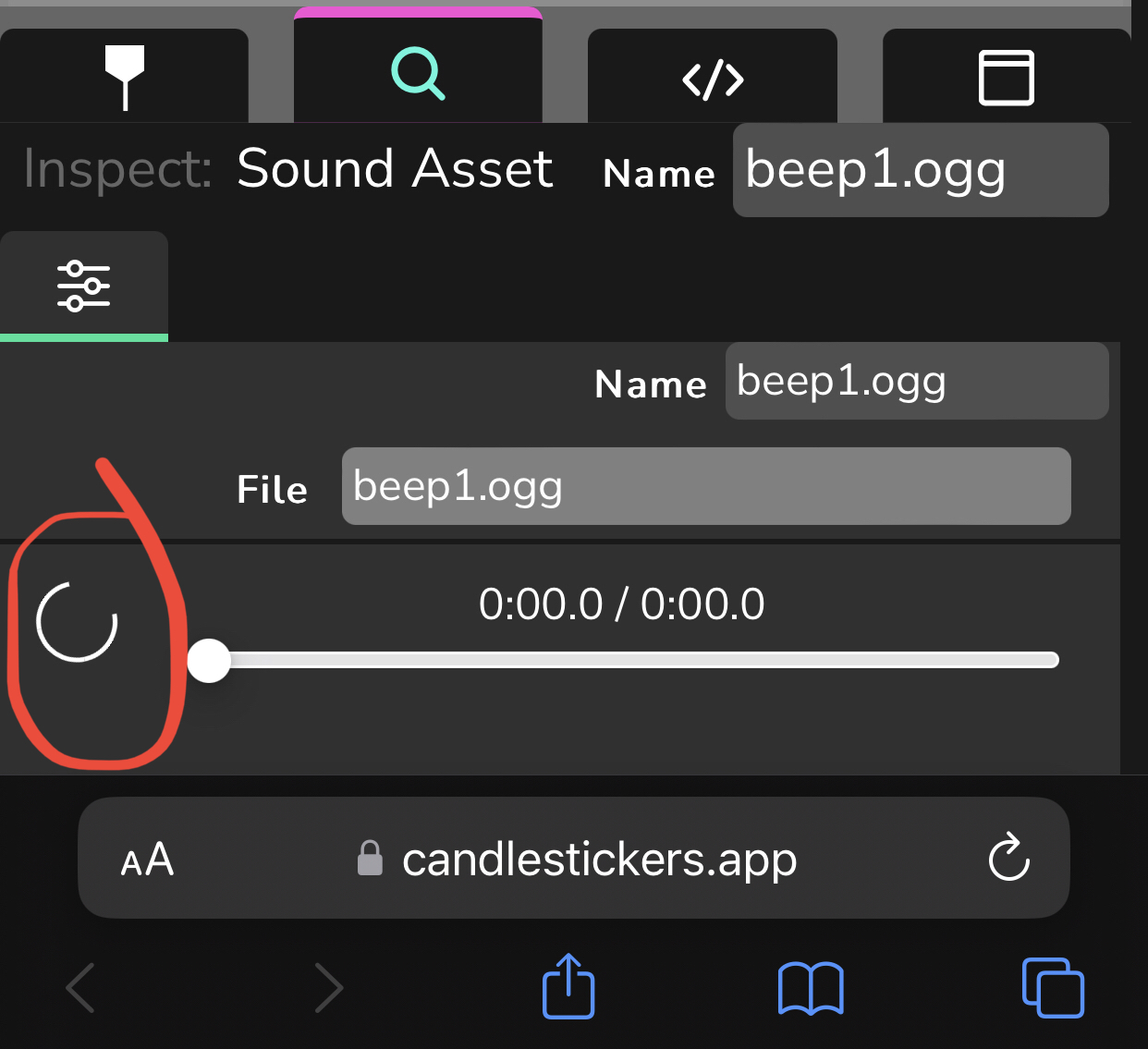
It’s common practice for users of both Wick Editor and Candlestick to playback an sound asset from the library in the inspector to check and see if it’s good for use. This works for any compatible browser in desktop, but in mobile it seems to not work at all. (Screenshot 1.)
To Reproduce
- Go to any newer versions of Wick Editor or any one of its forks (including Candlestick) on mobile. I believe any (mobile) browser works.
- Create a new file (for testing purposes).
- Add any audio file from the “Builtin Library” (for testing purposes). You can also import any audio file from your mobile device. (The button for importing audio files only works in Candlestick.)
- Select the audio file from the library, click on the inspector button, and you’ll see that there’s a looping C-shaped icon over where the play button should be (screenshot 1, outlined in red).
Expected behavior
When trying to preview an audio file in the inspector, it should be able to display its length and to be played.
Screenshots
*Computer Information
- OS: IOS
- Device Type: Mobile
- Browser: Safari, Chrome, and Brave Browser
Do you have a suggested solution to this issue? (ex. has another program fixed this bug a certain way? Are you familiar with where in the code base someone would need to fix this issue?) I don’t really understand why this is the case as of the current moment, nor do I know if this is a device-specific problem (just a “my device” problem).
Additional context Optional*
I do know that Wick Editor and its forks can only opened the audio file formats .mp3 and .wav.
Even despite this bug, audio files from the library can be imported into the timeline with no problems at all.